

If you are just starting out at Caruso Law, or heading back to school and looking to upgrade your system, please review the below information before purchasing your new laptop!
Nearly all Pepperdine Caruso Law Students use laptops for class, exams, and homework. While laptops are not required, they can be a very valuable tool in law school. The following recommendations take into account services and applications that are often used in conjunction with Caruso Law classes and other curricular and extra curricular activities.
The Tech Services team at Caruso Law provides assistance in configuring your laptop for the network. Please think very carefully before choosing a laptop brand or other hardware/software choice outside the recommended list, as you may be limiting your potential sources of support.
As a law student your laptop computer is a key tool. Please keep this in mind as you think about how you will use it, the software you install on it, the websites you visit with it, the files/attachments you choose to download and where you store it when you are not using it. You will want it to be functioning at optimum levels. Theft, drops, malware, and other untoward variables will detract from your laptop’s ability to help you succeed in law school.
Below are the minimum Computer/Technology Recommendations:
- Internet: Strongly recommend a rock solid internet connection with a minimum 20 Mbps down and 10 Mbps up. This exceeds the minimum requirements for synchronous Zoom sessions (the absolute minimum is 600 kbps in both directions while recommended minimum is 1.5 mbps) but note that if you share your internet connection you will need more bandwidth to ensure a reliable, continuous connection. Also please note that the age of your hardware (router, modem, cabling, computer) will play a significant role in reliability.
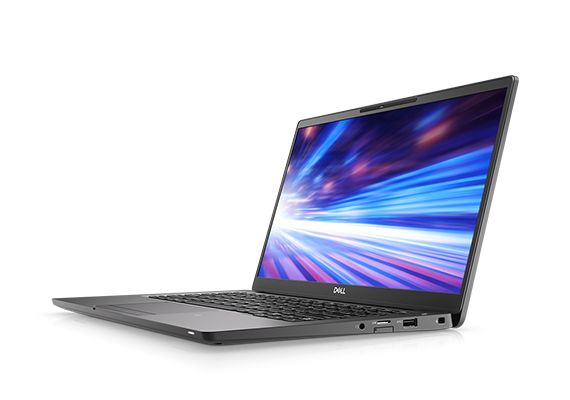
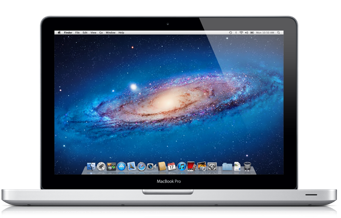
- Manufacturer/Model: Dell Latitude Series/Apple MacBook Pro or MacBook Air
-
- NOTE: We strongly discourage the use of Microsoft Surface computers. Microsoft Surface systems may provide some challenges with ExamSoft software, this software is used by most students to take exams at Caruso Law and is used by the California Board of Bar Examiners for the state bar exam … along with most other state jurisdictions.
-
- Display: Minimum 11” screen – for improved readability, consider 13” or larger
- Operating System: Windows 11 /Mac OS 14 or better
- Processor: Intel i5 processor, Apple M1 processor, or greater (Make sure your system is compatible with ExamSoft)
- RAM: 16GB is recommended
- Solid State Drive (SSD): 120GB or higher
- Integrated WiFi or WiFi adapter: Newer is often if not always better
- Media Drives: None necessary, but it’s always good to have a few flash drives handy. Keep in mind that these don’t last forever, don’t rely upon one flash drive to keep your work safe. AND have a backup solution. LESS DOWN TIME
- Battery Life: 4-6 hours, much longer is much better. MORE UP TIME.
- Spare Laptop Charger: If you plan to bring your laptop with you, keep one for home and one for travel. If you lose one you have a spare. NO DOWN TIME.
- Warranty: 3 year parts/on-site labor. LESS DOWN TIME.
- Security Lock/Cable: Don’t ever walk away from your laptop if it isn’t secured. LESS DOWN TIME
- Malware Protection Software: Make sure you have Anti-Malware installed. Use the firewall that is build into your computer’s operating system. MORE UP TIME.
- Personal Printer: We strongly recommend HP Laser Printers with an extra toner cartridge. NO DOWN TIME.
- BACKUP System: There are two ways to do this, traditional backups where a copy of all your files (or just critical files) is made to another storage device either over the web or to an external drive of some kind OR storing your files in the “cloud” to start with where they are backed up by that service provider (think Apple iCloud or Google Drive). We strongly and urgently recommend a reliable automated backup system AND synchronizing your law school materials on a cloud-based service like Google Drive or iCloud. LESS DOWNTIME
Please visit the Minimum System Requirements page for the ExamSoft/Examplify system requirements to ensure that your system is compliant.
The Dell Latitude series is designed for a professional enterprise user and is not what you will find in a consumer-focused retail store. We have found these systems to be very reliable and strongly recommend them to both students and faculty for their personal computing needs. This recommendation is not meant to dissuade you from other manufacturers or even other lines of Dell computers, however, we know this line to be a great fit for a law student who needs a solid, reliable system for three years of challenging work (plus the Bar exam).
NO TABLETS, NO NETBOOKS: We do not recommend tablet-based systems. Nor do we recommend netbooks or Chromebooks. You are certainly welcome to buy them but we don’t believe they will meet your needs in law school. In fact, these systems do not work with ExamSoft Examplify at all so that should be a compelling reason to avoid the Chromebook/tablet acquisition unless you already have a serviceable laptop that meets the ExamSoft minimum requirements. Essentially, you can bring any device you want to law school. However, if you want to take exams and keep pace with the challenges of law school, you should purchase a high-quality, business class laptop, not a cheap, or off-brand version found on sale at a big box retailer. Remember, you want a system that is reliable and will last you through completing the BAR EXAM. You don’t want a machine that may crash in the middle of an exam!
For purchasing as an enrolled Pepperdine student, please visit the Pepperdine University IT Department’s discounts for students web page or call Pepperdine University Tech Central at (310) 506-4811.
Please note that using a computer on the University network requires that you agree to the University Computer and Network Usage policy.