

Use these steps if Examplify is not tied to the Caruso Law institution account.
- Open Examplify.
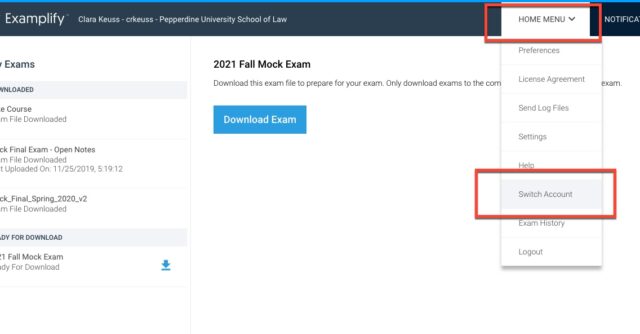
- Open the home/account menu → Switch Accounts → Add New Account.
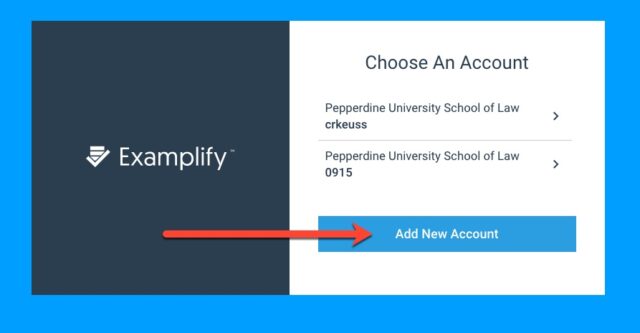
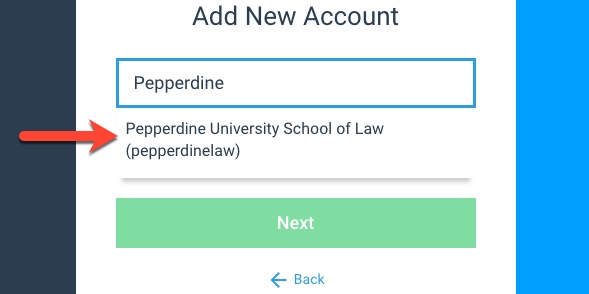
- Search for Pepperdine and select Pepperdine University School of Law (
pepperdinelaw).
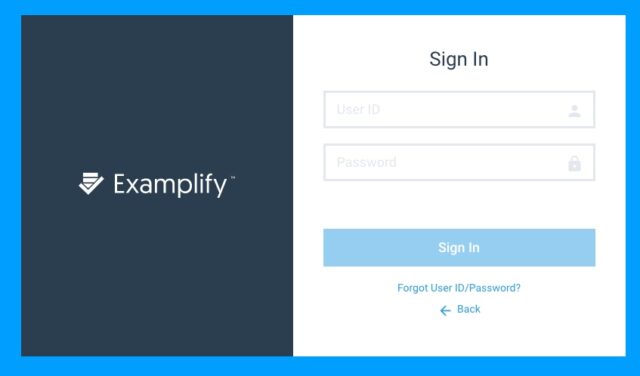
- Sign in with the credentials provided for ExamSoft/Examplify (or follow the on-screen Pepperdine sign-in if prompted).
Portal: https://ei.examsoft.com/GKWeb/login/pepperdinelaw. Take a mock exam well before midterms/finals so login problems surface early.
Screenshots are from an earlier Examplify version; your screens may look slightly different.
Questions? Contact Technology Services at lawtech@pepperdine.edu or (310) 506-6417 (Public Services Desk, Harnish Law Library).